Where Tritons Connect, Exclusively
Onboarding
Onboarding introduces the app’s core features, then directs students to sign up with a UCSD email account. The flow is designed around a campus-only community.
Students wanted more ways to connect, but campus events were scattered and live location sharing raised privacy concerns. We designed a campus event app that brings discovery, planning, and participation into one place.
See the final experienceOn a team with product managers and engineers, I created two storyboards, compared competing event platforms, ran a homepage preference test, and developed the design system.
MapSocial is a mobile application designed to strengthen community and engagement among UC San Diego students by simplifying how they discover and participate in events.
The project gathered 211 survey responses and received a reported Net Promoter Score of 43 in follow-up feedback, indicating positive reception among potential users.
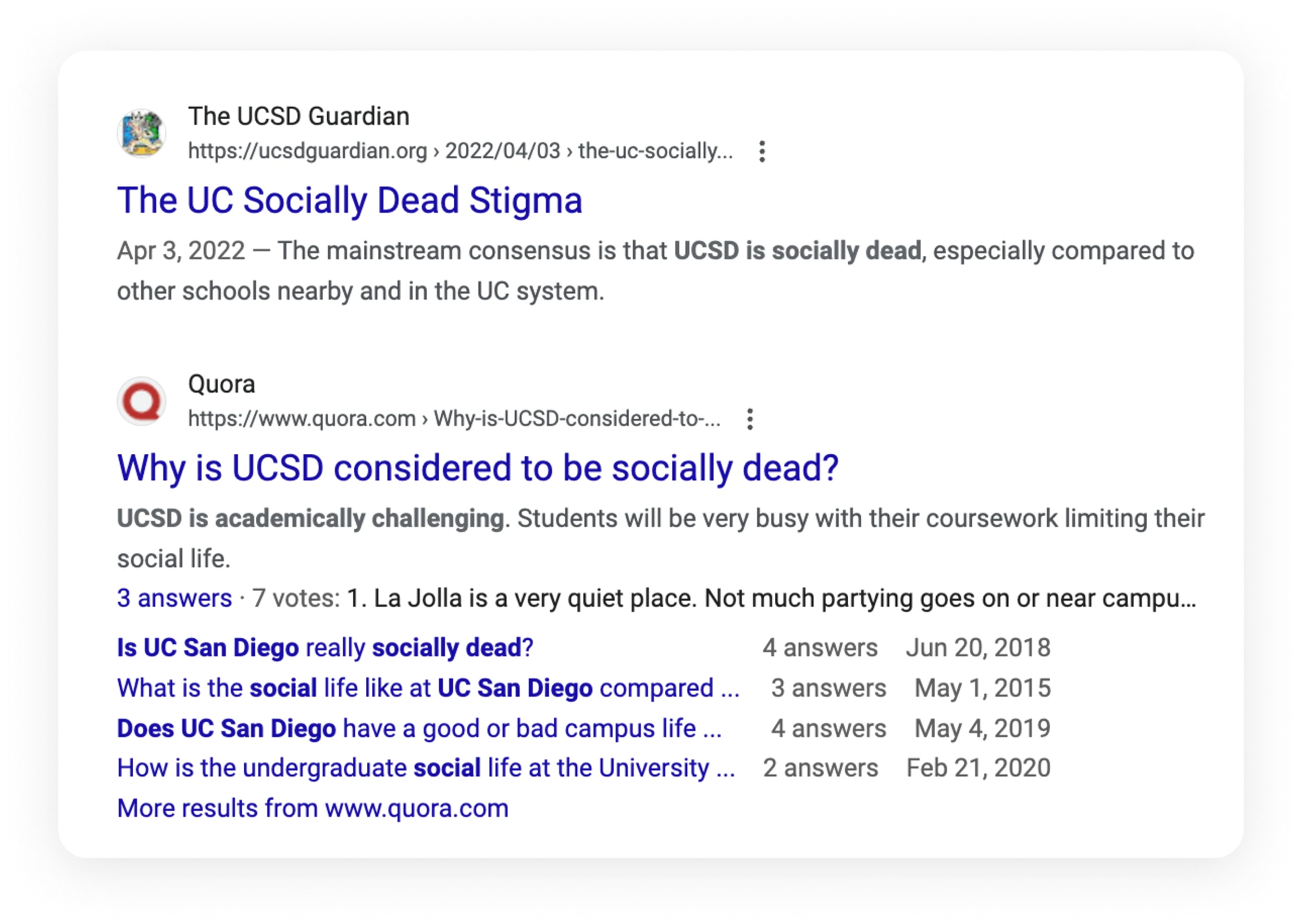
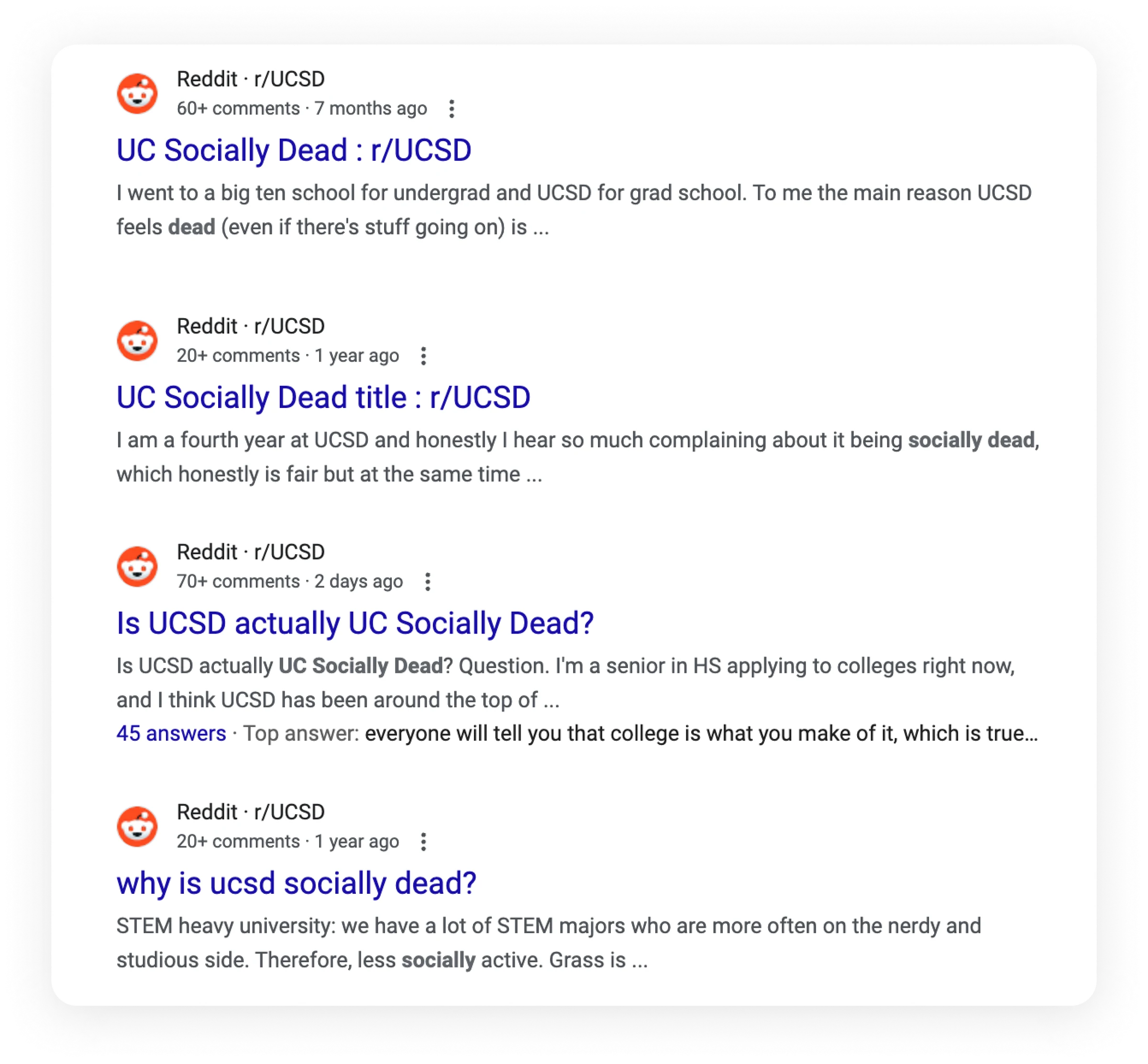
Large classes, the campus’s vast layout, and conflicting schedules can make socializing difficult. New and transfer students face the additional challenge of building connections in an unfamiliar environment.
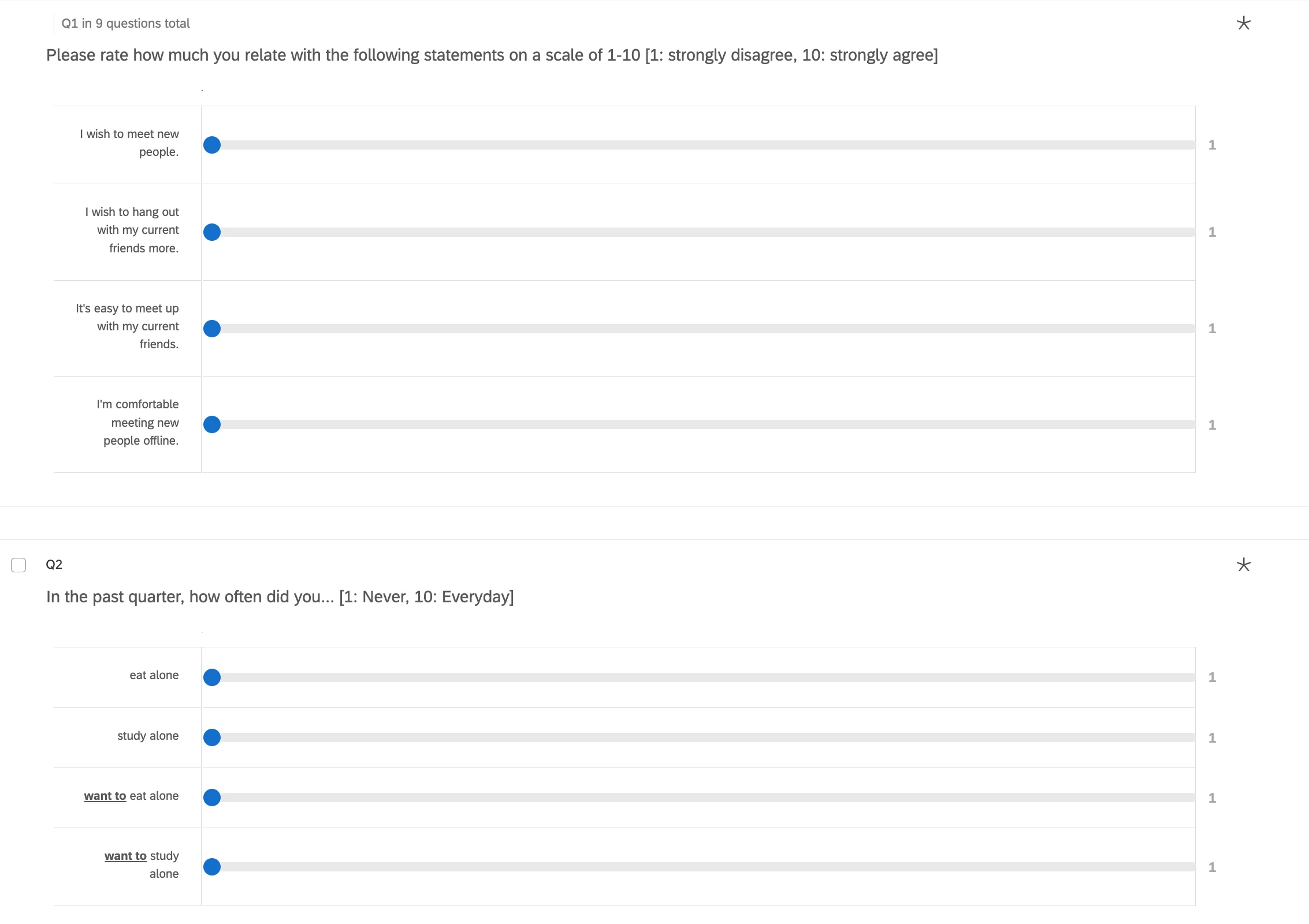
We collected 211 survey responses. Students described the effort of checking friends’ availability one by one and the limited opportunities to meet people. Our initial concept focused on sharing live locations to make spontaneous meetups easier.
I created two storyboards to explore the initial concept. One follows browsing profiles and starting conversations; the other explores sharing current or intended locations to see who is nearby and available.
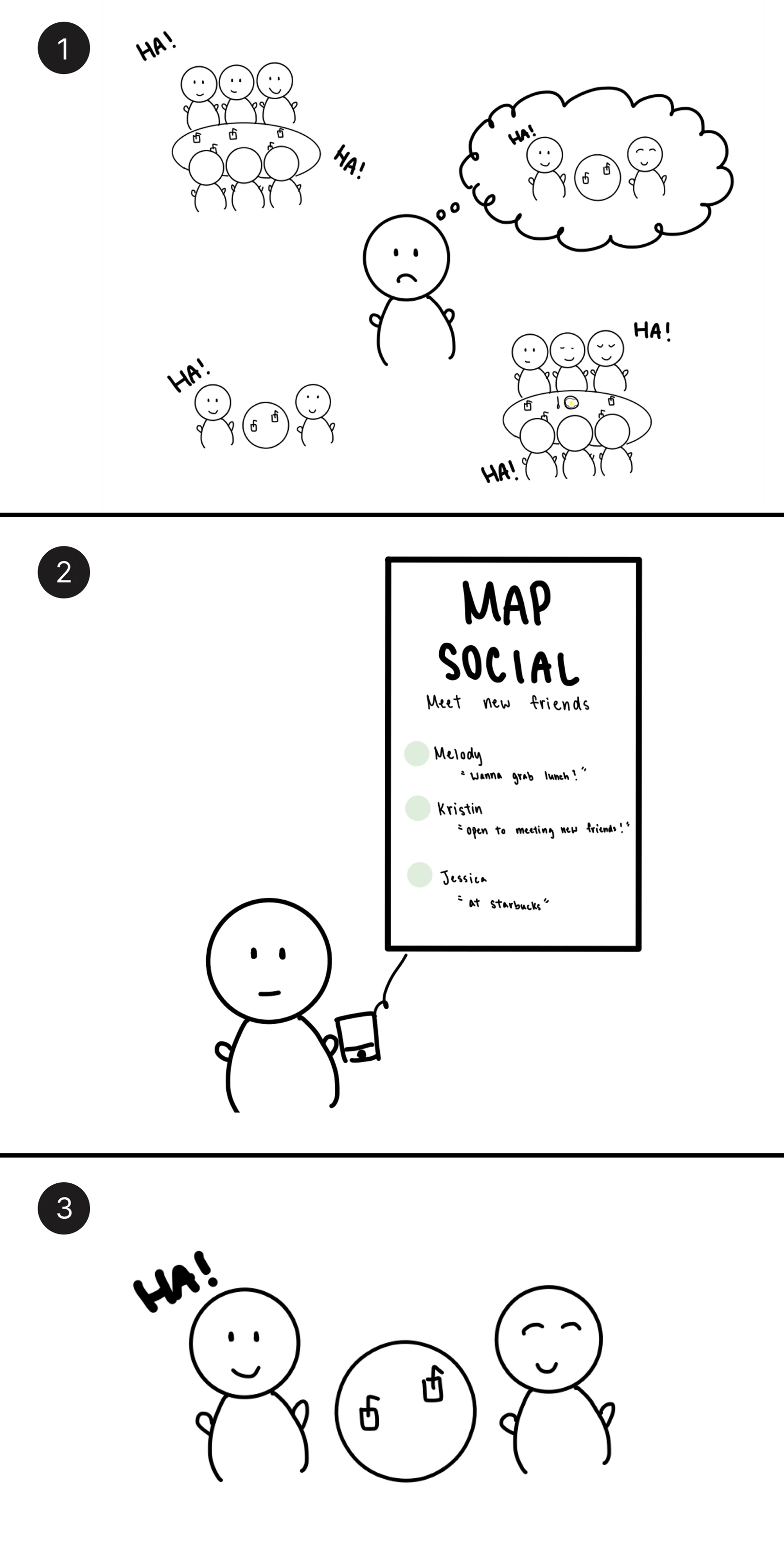
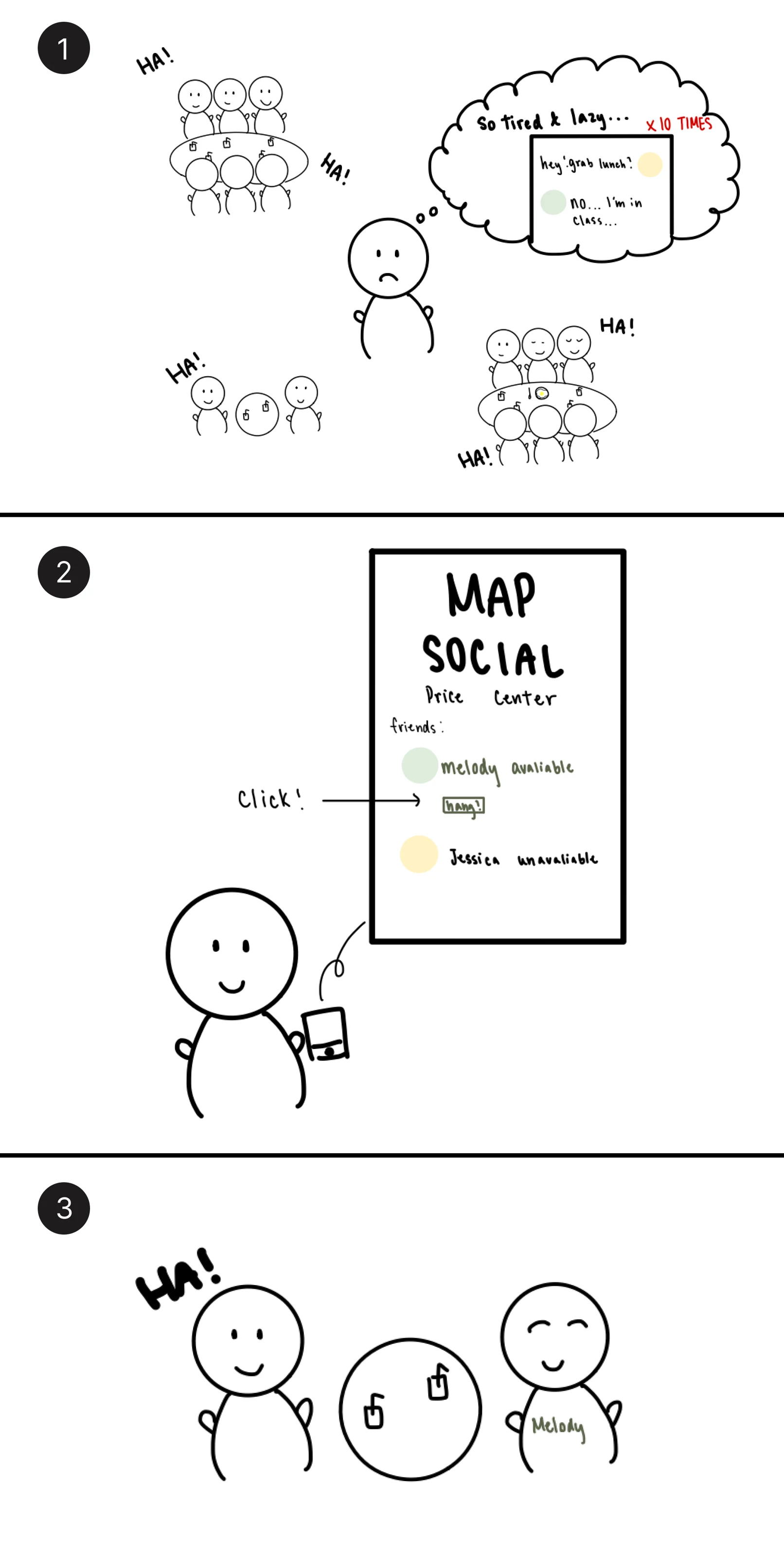
We interviewed 15 students who had completed the survey, by phone and in person. Thirteen expressed enthusiasm for meeting and networking with new people; ten related to the coordination problems in the storyboards.
Privacy and safety concerns led us to move away from live location sharing. The interviews also surfaced a need to find campus events in one place.
Wanted more opportunities to meet people and build a network.
Saw potential in location sharing but questioned its privacy and safety.
Wanted one place to discover club events that were easy to miss.
Our research shifted the focus from live location sharing to an event-posting platform for UCSD students. We aimed to make organizing and discovering activities easier, helping students connect through shared campus experiences.
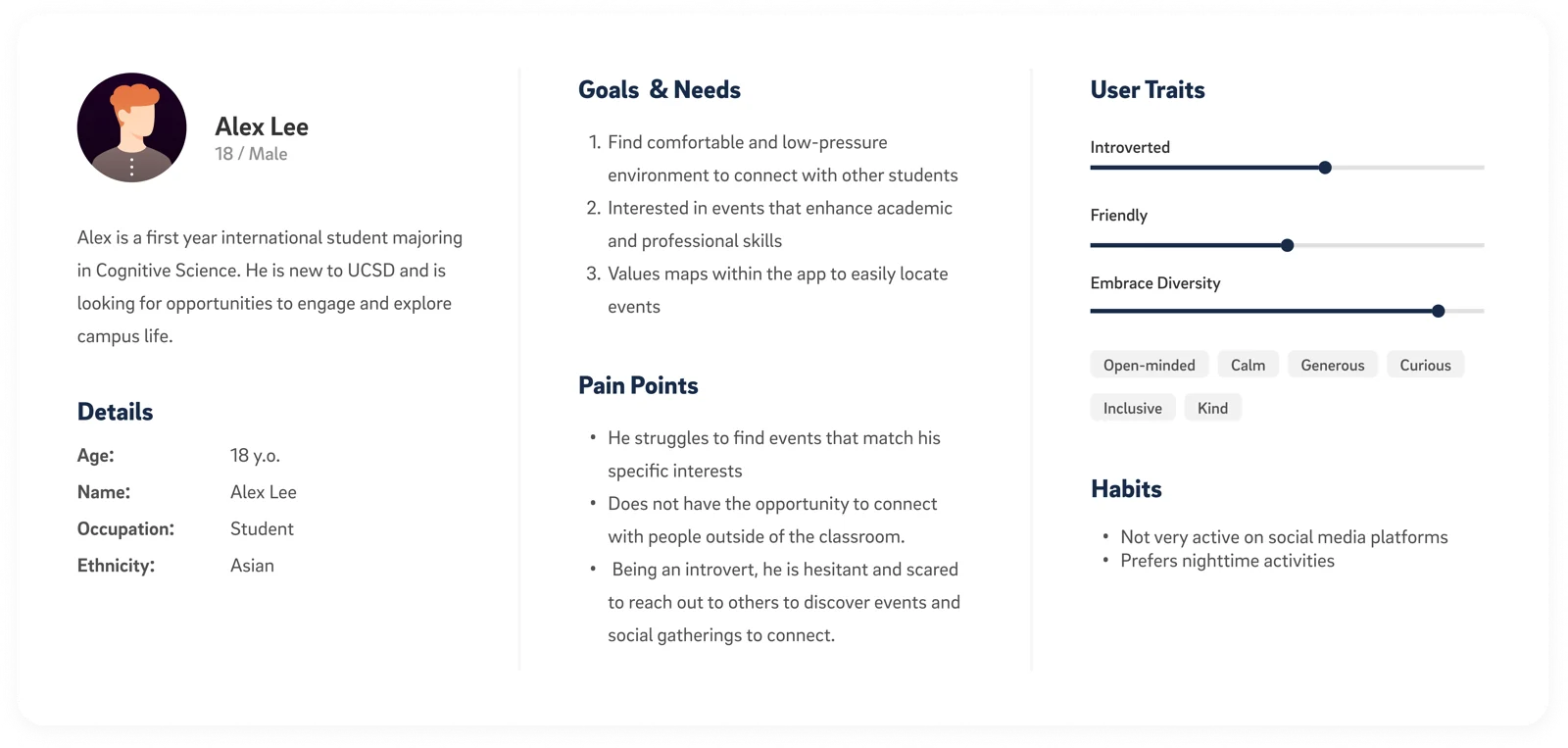
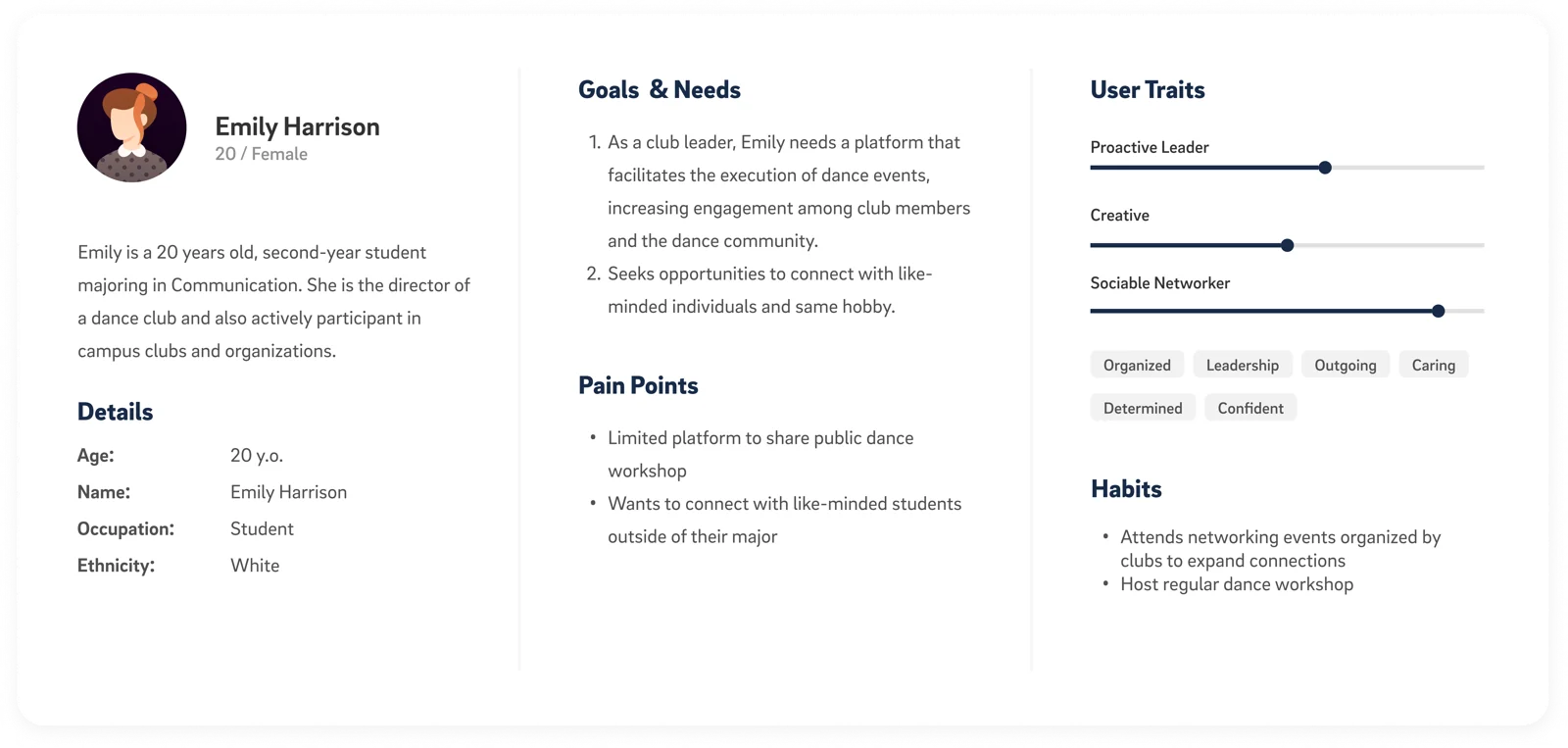
Alex seeks relaxed, comfortable settings for socializing outside class. Emily, a dance club leader, wants to increase participation and reach students with shared interests. These personas helped us consider both event discovery and event organization.
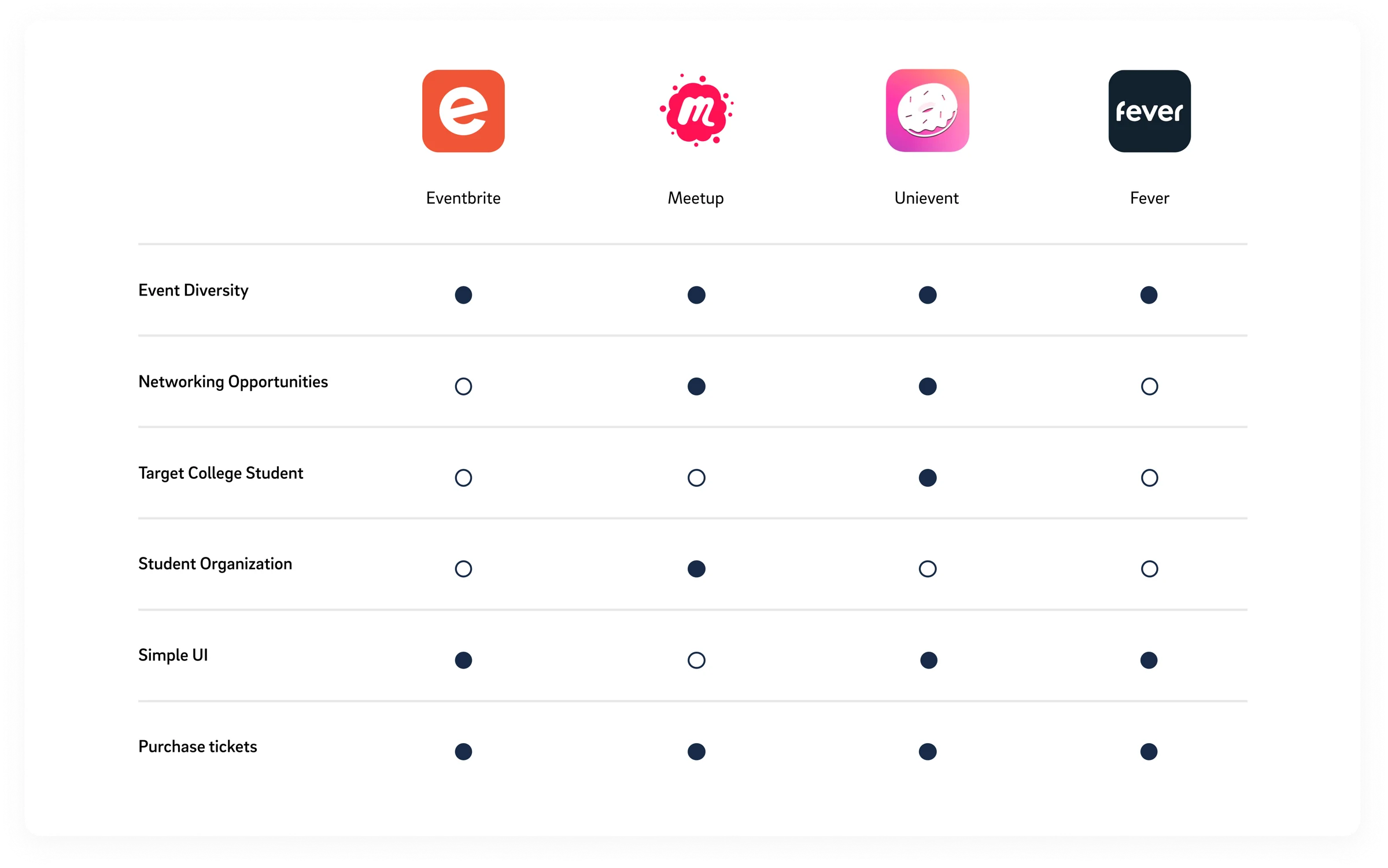
I compared Eventbrite, Meetup, Unievent, and Fever to explore how event platforms support discovery, networking, and student organizations. The research highlighted an opportunity to bring those needs together in a campus-focused experience.
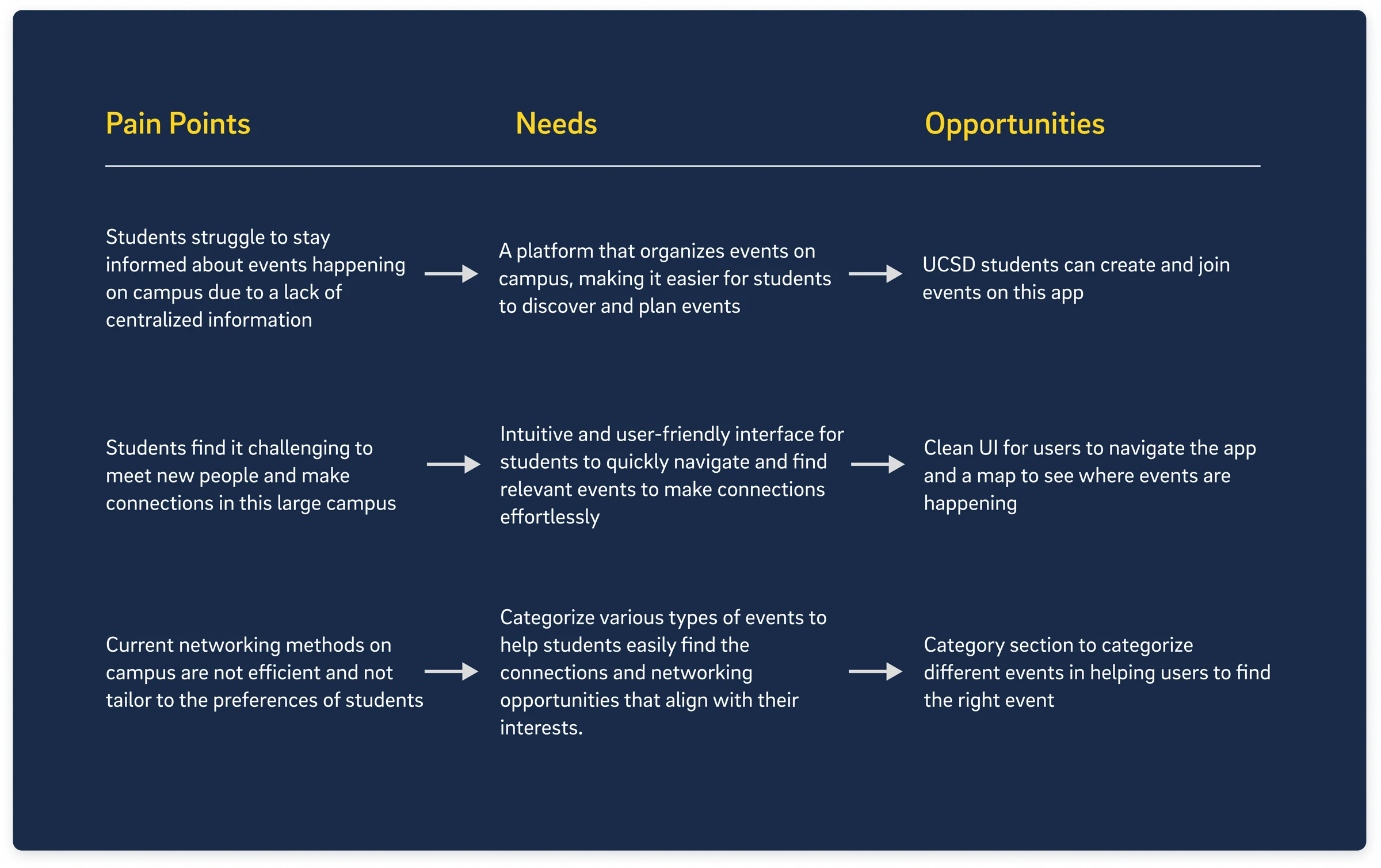
I synthesized interviews, personas, and competitive analysis into design opportunities. A central need was a clear, consolidated way to find events, navigate campus activities, and browse by interest.
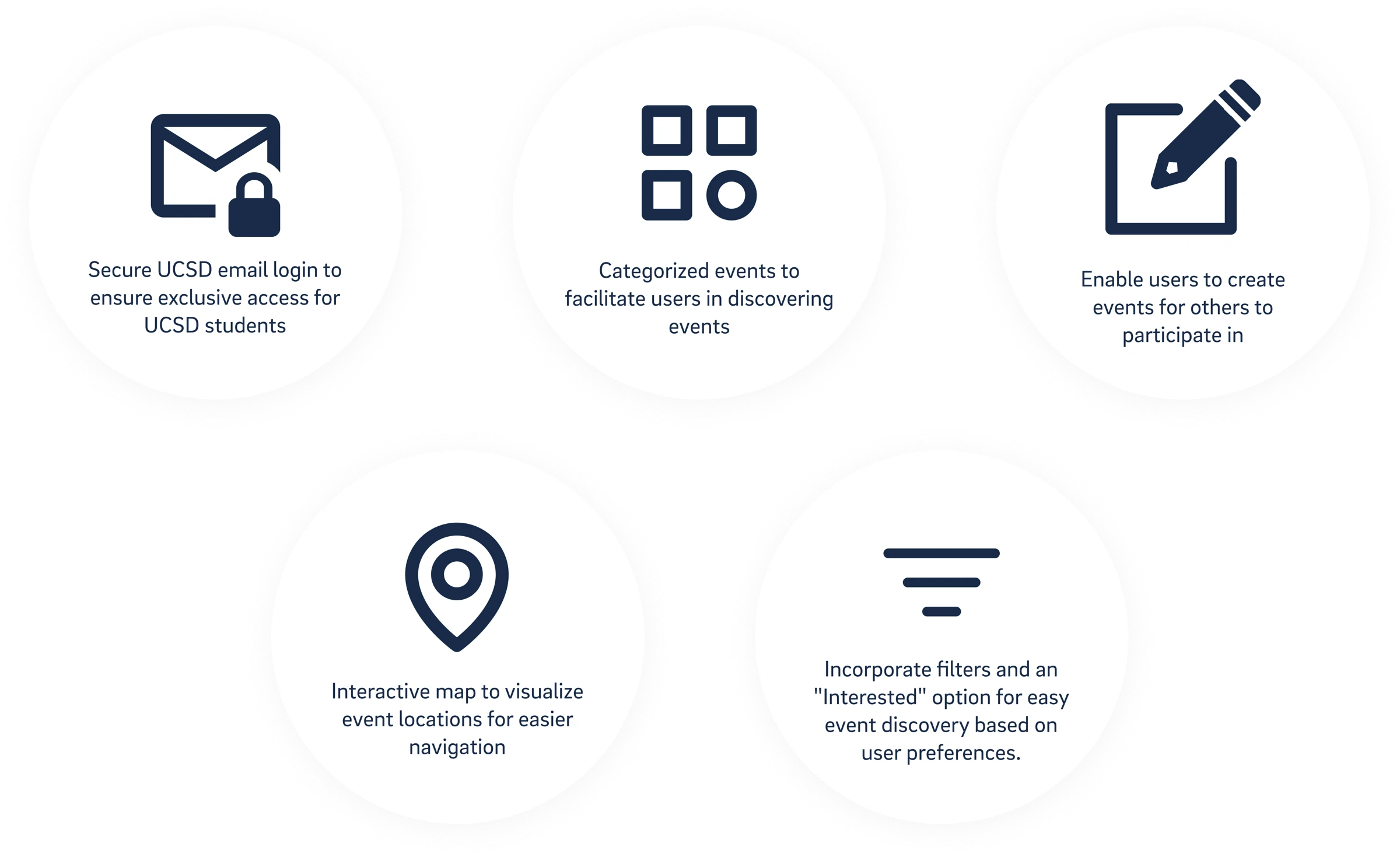
The solution brings together UCSD email sign-up, event categories, event creation, an interactive campus map, and filtering and saving. These features support both finding activities and inviting others to participate.
Early sketches explored onboarding, list and map homepages, event details, joining an event, and event creation. They established the initial structure before moving into more detailed interface designs.
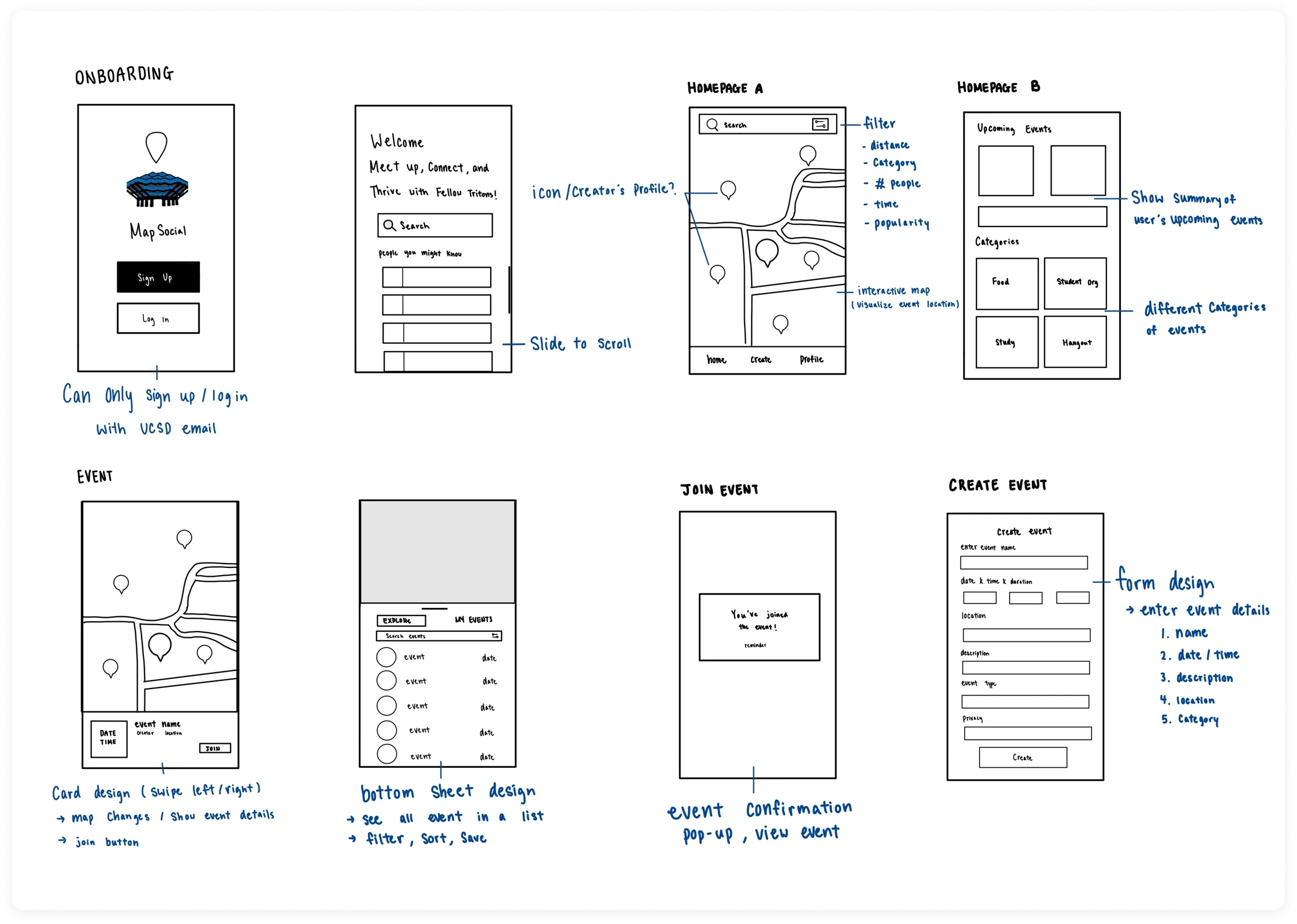
Our product managers preferred the visual appeal of the map-first version, while some engineers and I favored the organization of the list-first version. I ran a preference test with seven participants to compare them.
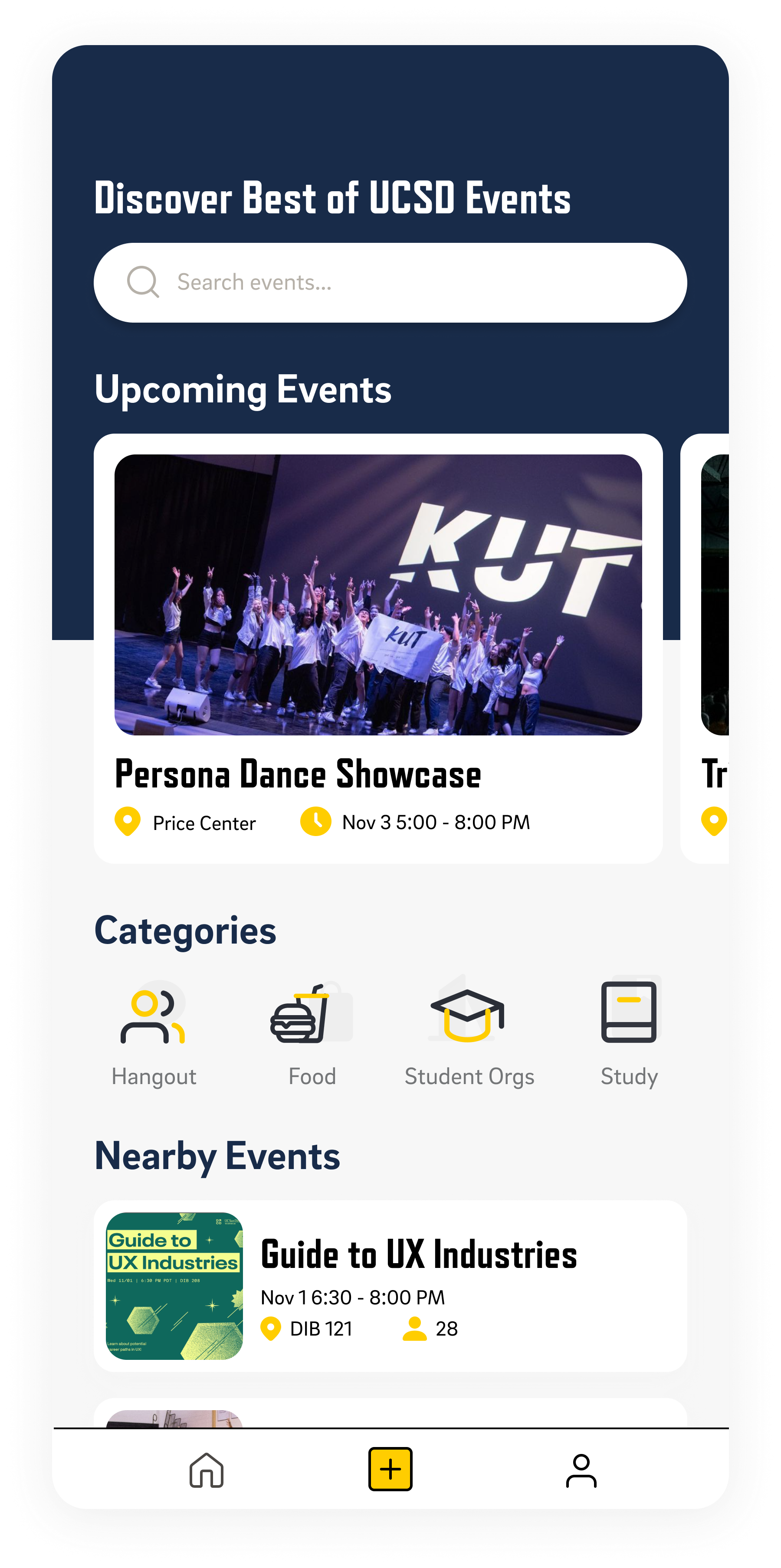
Five of the seven preferred Version A for its clearer event presentation and easier navigation. We selected the list-first homepage while retaining maps for spatial discovery.
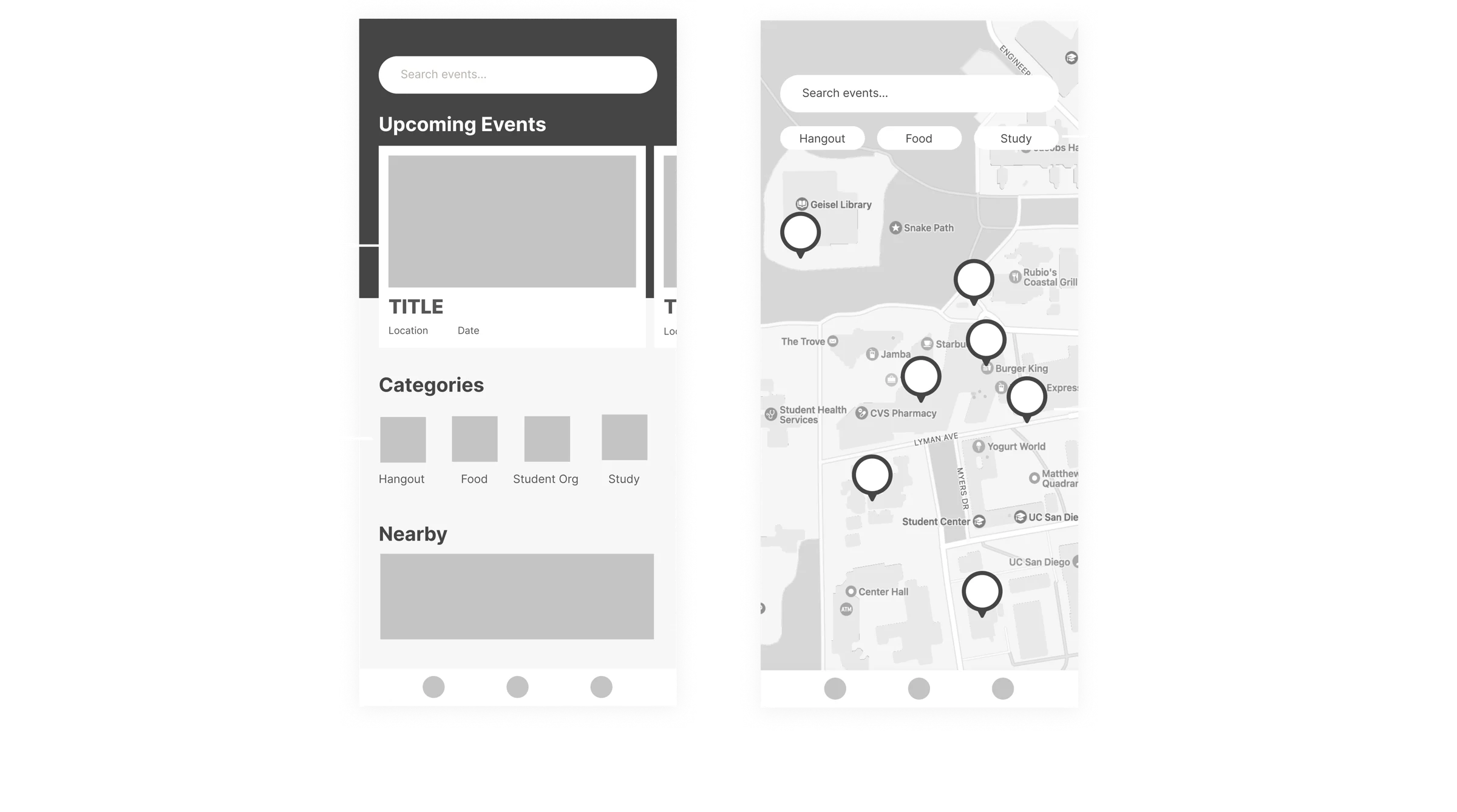
Onboarding introduces the app’s core features, then directs students to sign up with a UCSD email account. The flow is designed around a campus-only community.
The homepage gives students an overview of upcoming plans, categories to browse by interest, and nearby events to encourage spontaneous participation.
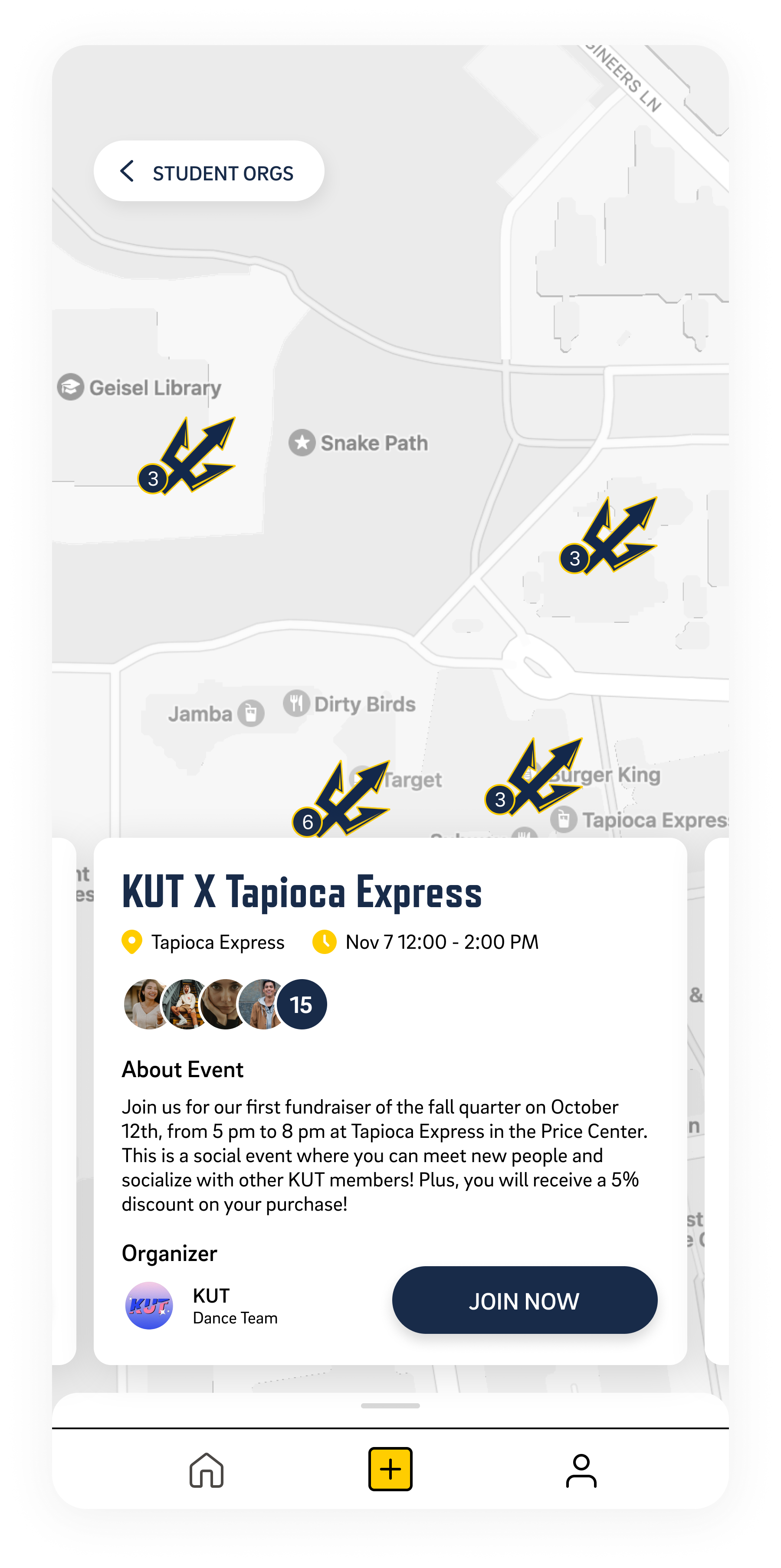
Categories connect students with activities and organizations that match their interests. Selecting a category opens a bottom sheet, allowing students to browse the relevant event list while keeping the map close at hand.
Closing the bottom sheet reveals activities across campus. Selecting a Triton marker opens a quick event overview with location, organizer details, and an action to join.
Students can sort events by time, distance, or popularity and save activities they want to revisit. Filtering supports busy schedules, while saved interests keep promising plans accessible.
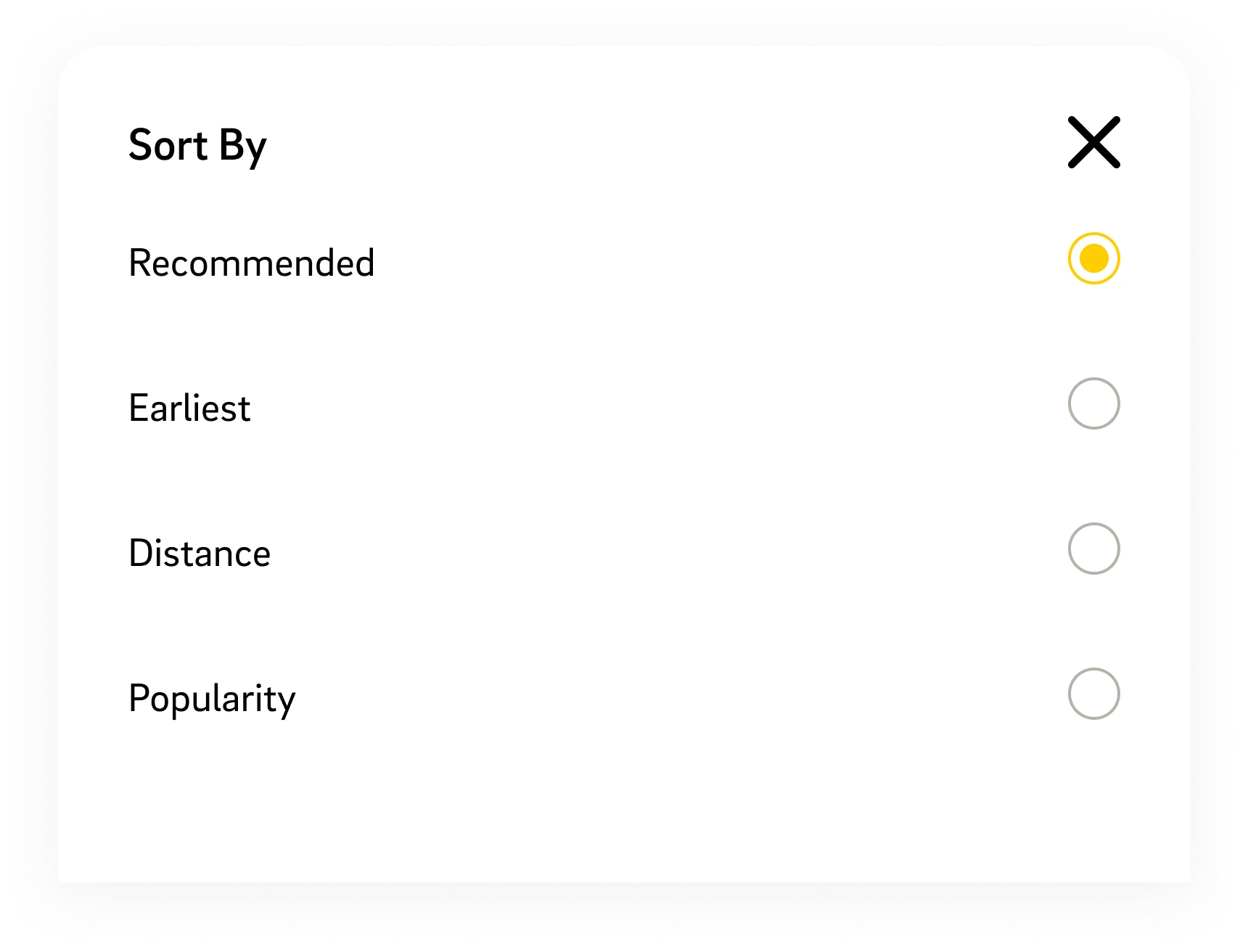
A form-based flow collects the essential information for publishing an event. The profile gives students an overview of upcoming activities, helping connect event creation with ongoing plans.
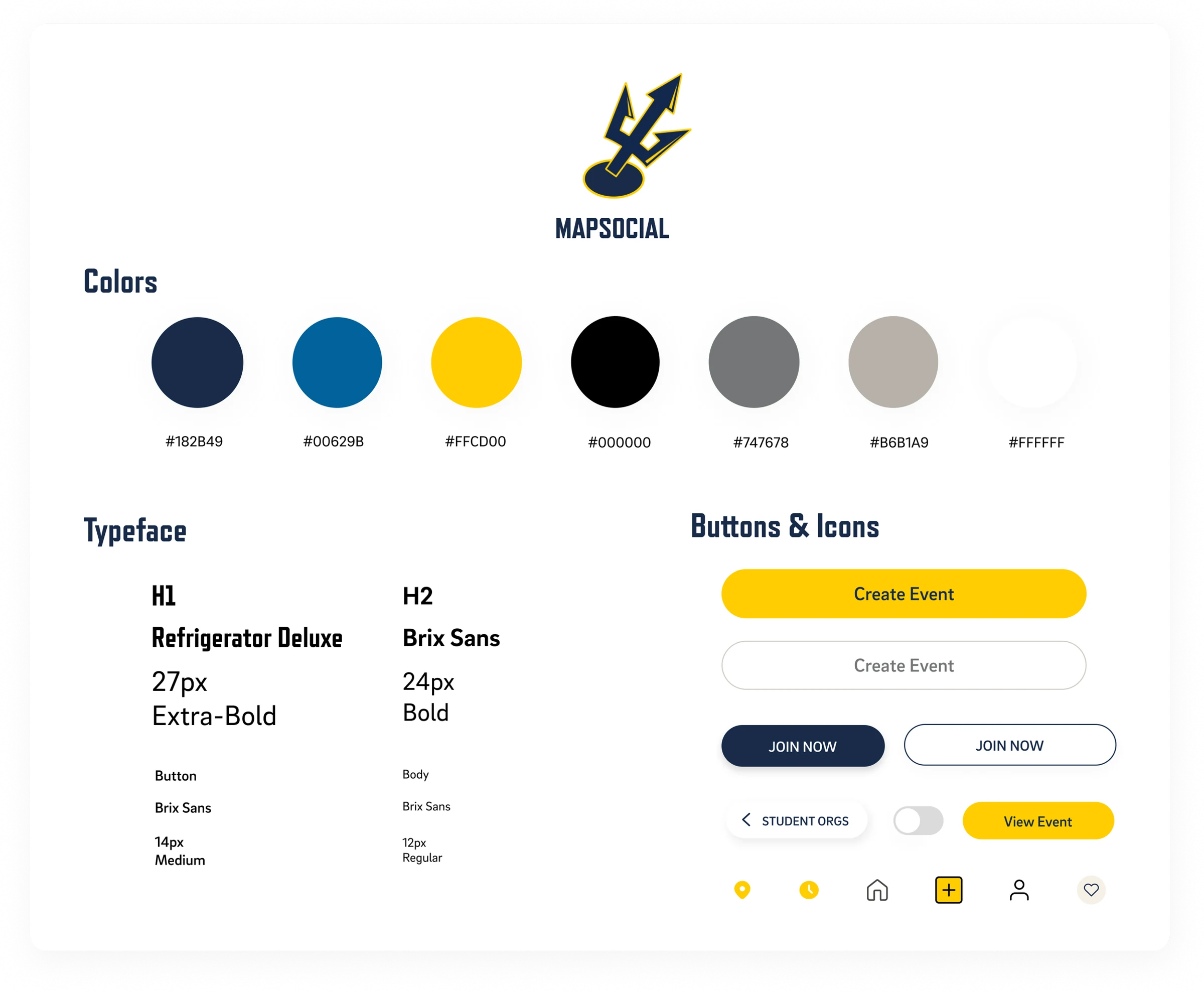
I developed the design system and style guide to provide consistency and support the engineering team. Blue and yellow connect the product to UCSD’s identity, while shared typography and components establish a consistent interface across the app.
Follow-up feedback from initial participants returned a reported Net Promoter Score of 43, indicating a positive response to the concept and interest in using the app.
This is feedback on the concept. The original case study does not specify the follow-up sample size or document post-launch adoption.
I would explore matching students by major, interests, and background, alongside edge cases and safeguards against misuse, to support campus engagement.
Collaborating with product managers and engineers taught me to discuss competing ideas and balance visual appeal with practical usability. Research helped translate student frustrations into features and clarified the value of testing decisions with users.